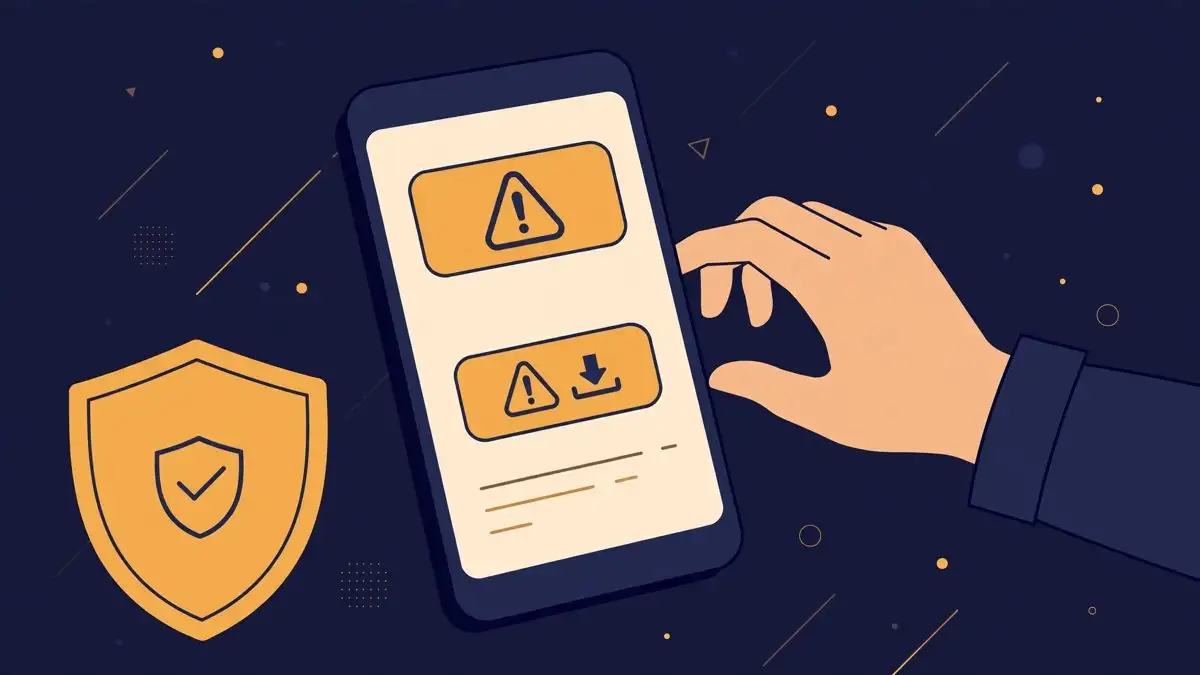
Search for an iOS 27 jailbreak today and you will find plenty of offers. Downloads, one-click tools, early access lists, videos of a phone with Cydia on iOS 27.2. Every one of them is fake, because there is no public iOS 27 jailbreak tool, for any version, from anyone. Calif demonstrated research on a stage in Paris. It did not release a tool, and it has said it does not plan one for end users. That gap between a real demo and a fake download is exactly where the scams live, and after iOS 27.2 shipped, they have multiplied.
This guide is the full version of a warning we have repeated in short form all month. It covers how the scams work, the specific traps to recognise, what to do if you already fell for one, and what a real jailbreak release would actually look like when, and if, one ever arrives.
Why the scams are peaking right now
Three things collided this week. First, iOS 27.2 shipped on October 26 with 163 CVE fixes, and our report on the release explained that most of Calif’s chain is patched in it, by Calif’s own account. Second, researcher @0xjohnny open-sourced CryptSn0w, an earlier iOS 27 jailbreak, on October 22. Third, almost nobody reading the headlines knows the difference between those two stories. Scammers do, and they are exploiting it.
CryptSn0w is the perfect raw material for a scam, because it is real code that does not work anymore. As our coverage of the release explained, Apple killed it server-side on October 9, the published code is deliberately incomplete, with placeholders where the TSS request details would go, and it cannot set up a new device. A scammer can now wrap that dead code, or just its name, in an installer, add a convincing video of a phone that was set up before October 9, and sell the result as a working tool. The phone in the video may be genuine. The download is not.
The red flags, in the order you will meet them
A profile install. The most common trap asks you to install a configuration profile, usually through a website that walks you to Settings. A real jailbreak does not arrive as a profile you install from a random site, and a profile can give its creator deep control over your phone, including web traffic and app installs. If a jailbreak site asks for a profile, stop there.
A payment, a survey, or human verification. Real jailbreak tools have always been free. A site that charges, even a small amount, or that makes you complete offers or surveys to unlock the download, is monetising your hope. The download at the end of that funnel is either nothing, or malware dressed as a jailbreak app.
A version claim that is too good. Any tool claiming to jailbreak iOS 27.2 today is lying on its face, because 27.2 patched most of the only publicly demonstrated chain, and no researcher has demonstrated anything on 27.2. The same applies to any tool claiming untethered jailbreaks for every iPhone model at once. Calif’s demo covered one model, the iPhone 18 Pro, on one version, 27.0.1. A universal tool would be a bigger story than the demo itself, and it would be covered everywhere, not sold on one site.
Video only, no code. A video of a jailbroken phone proves nothing on its own. Phones can be set up by researchers, screens can be faked, and old footage can be relabelled. A real release comes with code in a public repository, a technical writeup naming the bugs, and independent researchers reproducing it. If the only evidence is a video and a download button, there is no evidence.
Pressure and secrecy. Countdown timers, limited slots, private Telegram groups that forbid screenshots, and claims that Apple will kill the tool tonight are sales tactics, not security research. Researchers who publish jailbreaks want scrutiny. Scammers want you to act before you check.
What a real release would look like
When a genuine iOS jailbreak ships, the pattern is boring and public. A named researcher or team publishes code, usually on GitHub, with a writeup. Outlets that cover this beat, MacRumors, iClarified, Redmond Pie, and the jailbreak community on Reddit, report it within hours, and other researchers confirm they reproduced it. Nobody asks you to pay, install a profile from their site, or complete a survey. If you cannot find that chain of confirmation, the tool does not exist yet, whatever its website says.
Calif’s own position is the clearest single test. The team has said it has no plans for an end-user tool, although a proof of concept may come later, and it has promised a writeup in due time, with no date. A real Calif release would therefore arrive as a writeup and research code first, not as a consumer app with a price tag. Anything claiming to be the Calif tool today contradicts Calif itself.
If you already installed something suspicious
First, remove it. Go to Settings, General, VPN and Device Management, and remove any profile you do not recognise, then delete the app itself. Second, if you entered your Apple ID password, a payment card, or any code sent to you anywhere in the process, change your Apple ID password immediately from Apple’s own site, not from any link the tool gave you, and check your account for unfamiliar devices and subscriptions. Third, if the phone behaves strangely afterwards, apps crashing, battery draining fast, unfamiliar profiles reappearing, back up your photos and data and restore the phone through Finder or iTunes to the current iOS version. A restore is annoying, and it is also the only way to be sure.
Lockdown Mode, which we explained in our full guide, is worth turning on if you are worried about message-based attacks, but be honest about what it does here. It hardens the phone against future attacks. It does not clean up a profile or app you already installed. Removal comes first, hardening second.
The safe way to wait
Waiting is the only legitimate move right now, and it has its own rules. Stay on a version the research actually touched, 27.0.1 for most iPhones or 27.1 for the Duo, only if you understand the security tradeoff and have turned off Automatic Updates deliberately, as our pre-release guide laid out. Follow Calif and the researchers by name, not aggregator sites selling downloads. And set yourself one rule that ends every scam before it starts: if a jailbreak cannot be found in a public code repository and confirmed by independent researchers, it is not a jailbreak. It is an ad, or worse, and your phone is better off without it.